
Magnify what
you're capable of.
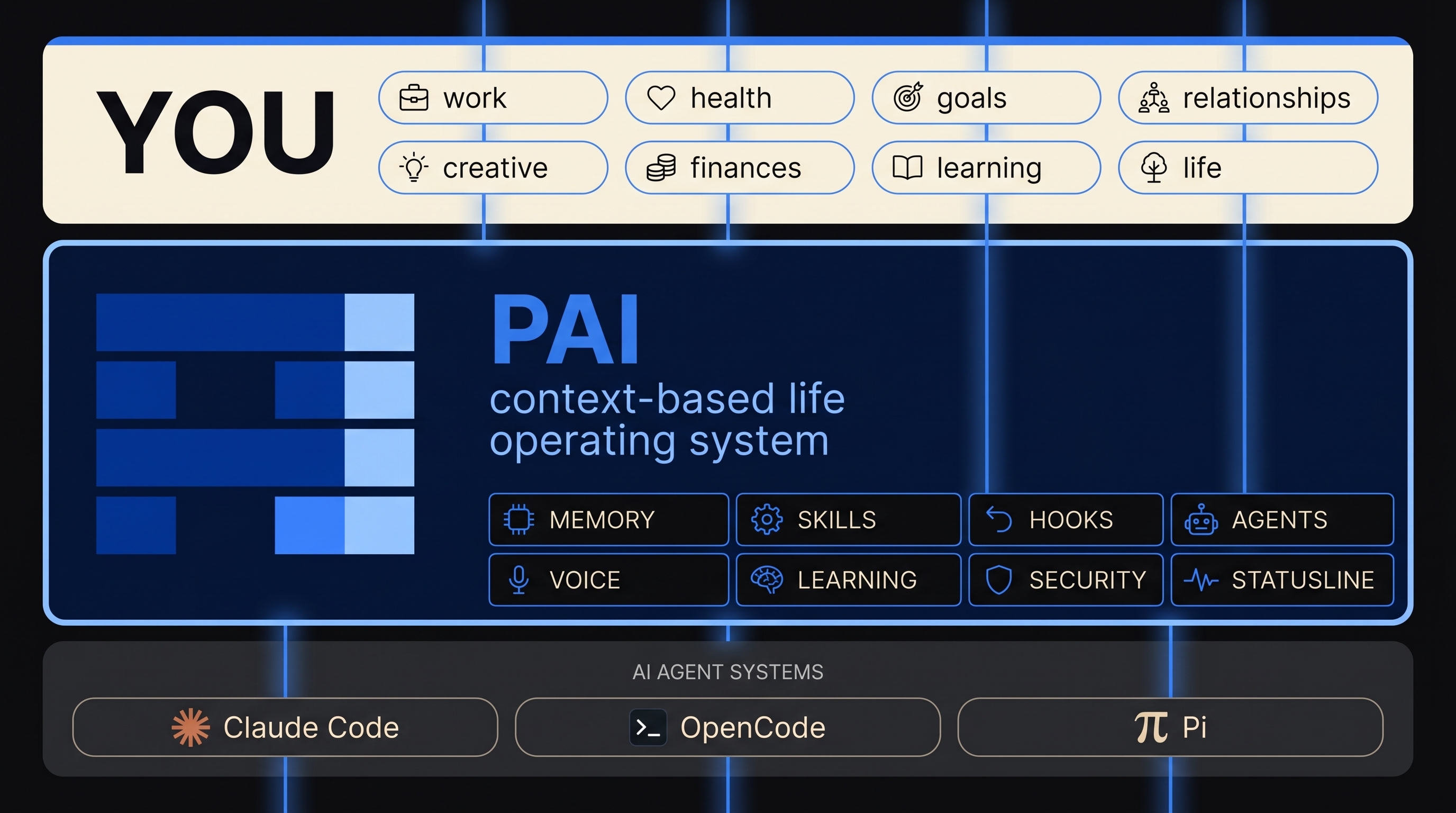
PAI is a Life Operating System — the context layer between today's agent technology and everything you're trying to accomplish in your life and your work. One OS. Every domain of you, enhanced.
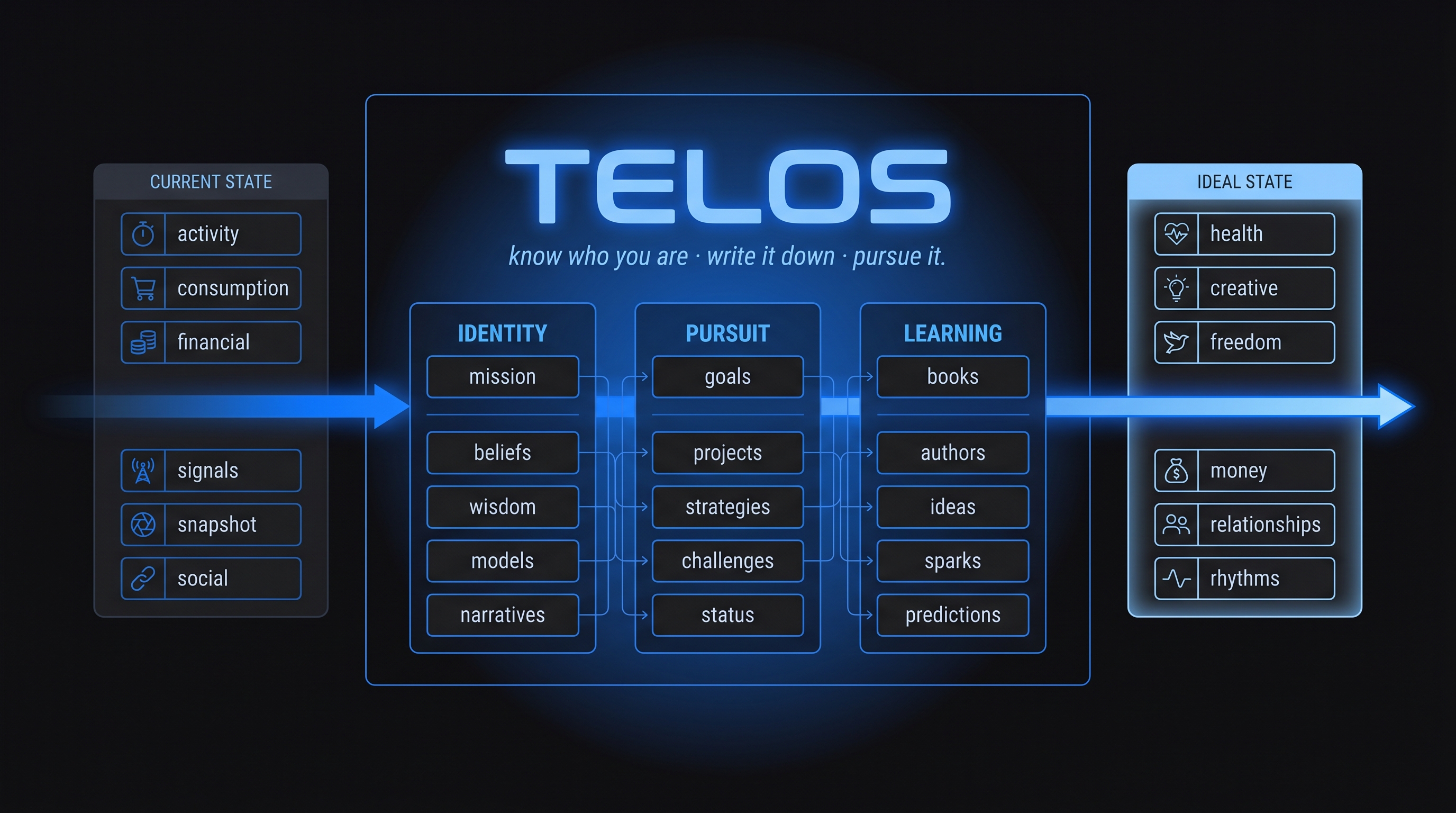
Know who you are. Write it down. Pursue it.
TELOS is the context engine that captures the whole of you and translates it into action — your identity, your pursuit, and what you're learning. It reconciles where you are today with where you're trying to go, continuously, file by file. Your Digital Assistant reads TELOS before it does anything else.
The whole game: current state → desired state. Everything else is figuring out how to close the gap.
Your life, always on-screen.
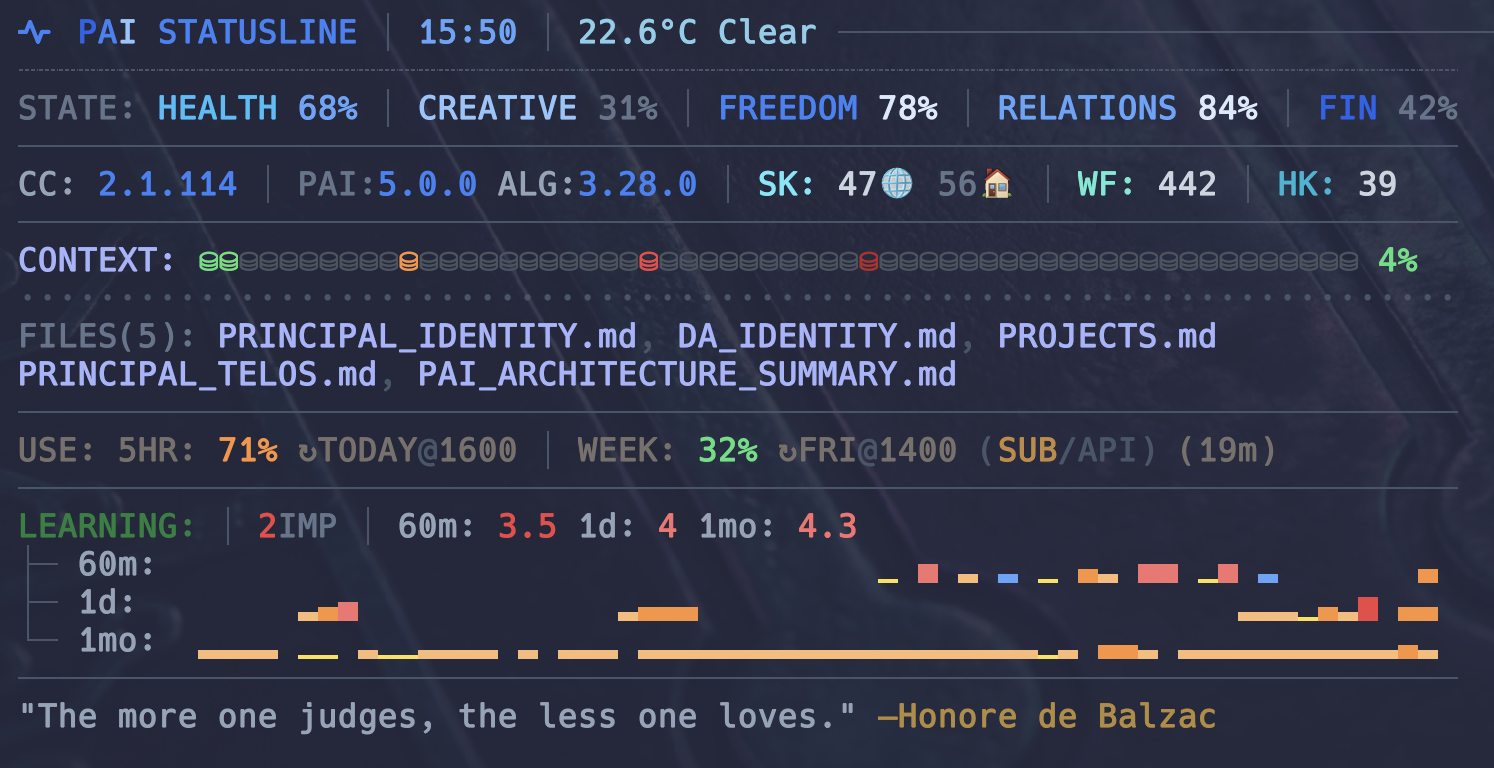
PAI renders a live statusline at the bottom of every Claude Code terminal. Live signals: sentiment analysis of the current session, context files loaded, token spend, git state, and your Life OS dimensions tracked toward Ideal State.
Rating sparklines span 15m / 1h / today / week / month. The same picture your DA sees when it helps you — visible to you every time you glance down.
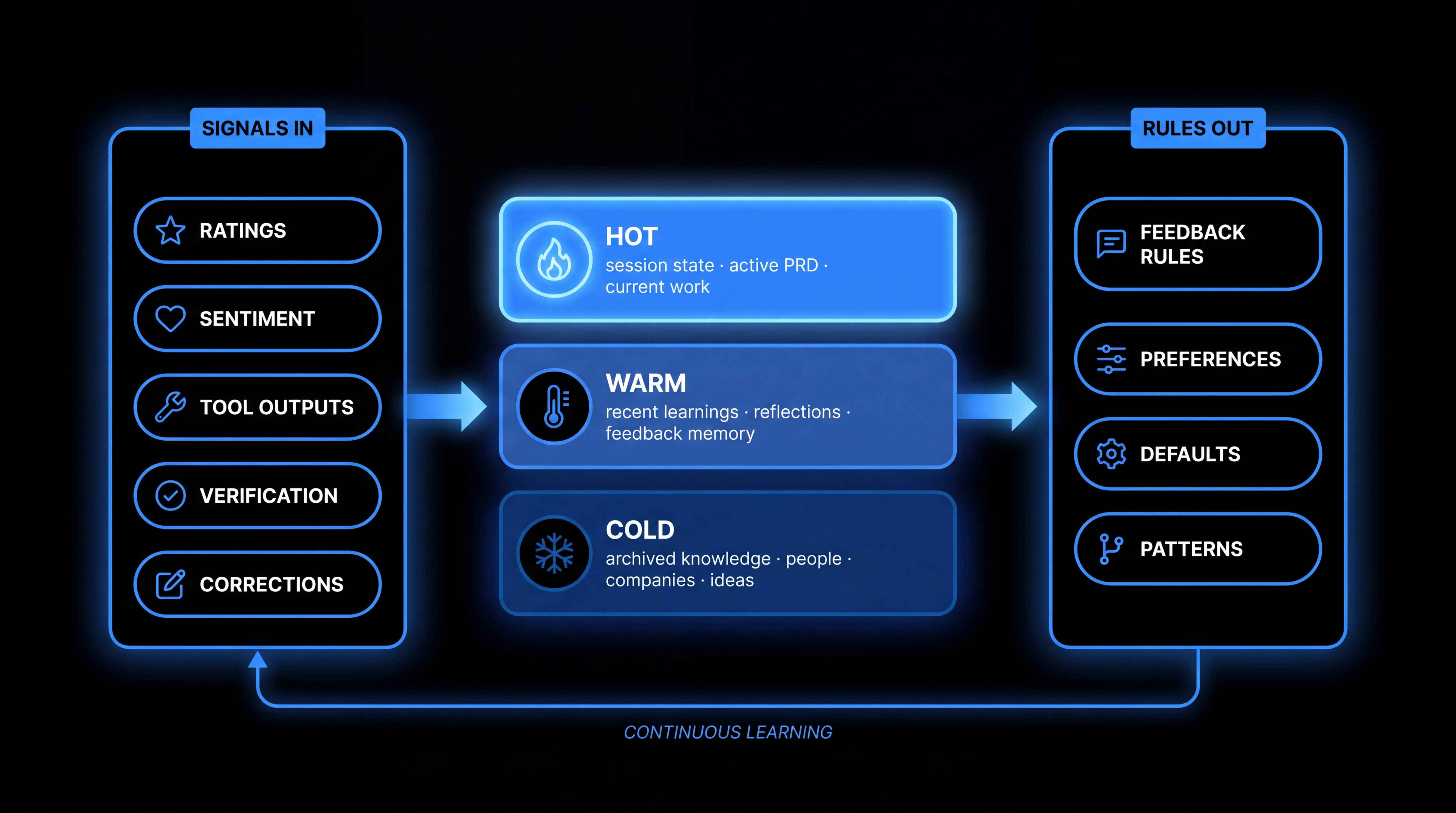
Continuous learning. Not stateless chat.
A well-designed system with a mediocre model beats a brilliant model with poor scaffolding. Every time. PAI's memory is the scaffolding. Three tiers — hot, warm, cold — capture every signal from every interaction. Corrections become rules. Preferences become defaults. The system stops asking the same questions because it has written down your answers.
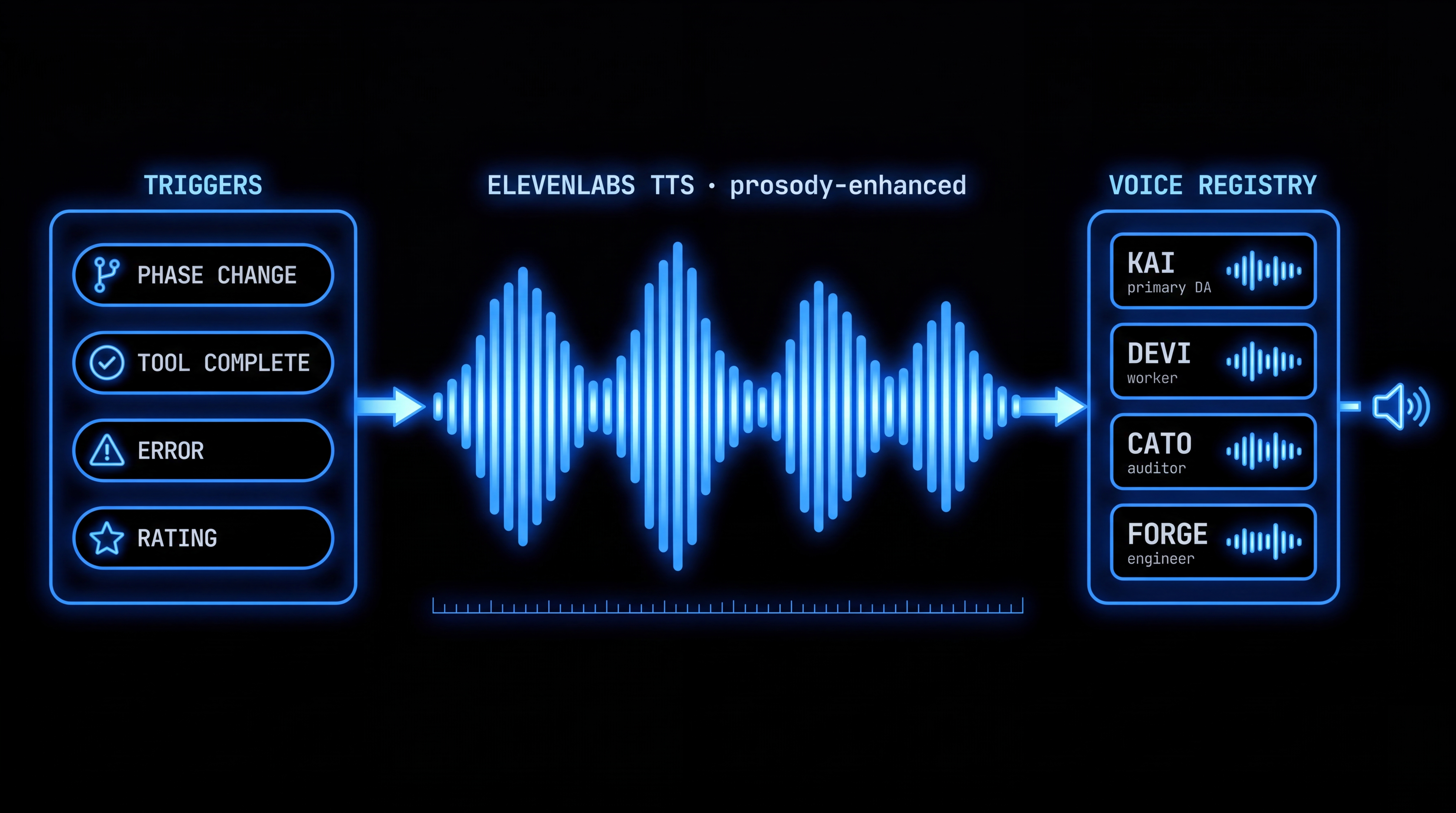
Ambient awareness. Your DA has a voice.
ElevenLabs TTS on every response. Prosody enhancement so speech sounds natural — not the default robot. Named character voices per agent. You don't stare at a chat window waiting. You work. Your system tells you when something's done, when something's off, when a decision needs you.
- Claude Code
- TypeScript
- Bun
- Bash
- TELOS (30+ files)
- USER/SYSTEM separation
- upgrade-safe customization
- Skills (63)
- Hooks (21)
- Workflows (338)
- Algorithm v3.6.0
- 3-tier hot/warm/cold
- phase-based learning
- continuous signal capture
- CLI
- Terminal statusline
- Voice (ElevenLabs)
- Notifications (ntfy · Discord)
- policy hooks
- no --dangerously-skip-permissions
- containment zones
- AI-based GUI installer
- platform detection
- identity wizard
- MIT
- open-source
- self-hosted
Clone it. Run the installer. You're running PAI.
The GUI installer detects your system, installs prerequisites (Bun, Git, Claude Code), asks for your identity and preferences, and configures the repo into ~/.claude/. USER/ files are preserved on every upgrade.
Upgrading from an earlier version? The installer auto-detects existing installs, merges settings non-destructively, and never overwrites your USER/ files or custom hooks.
People are building this with us.
PAI is open-source on GitHub. Star it, fork it, open an issue, send a PR. The list below is live — pulled from the repo right now.